Getting Started
Create an account, learn the workspace, and start writing in minutes — on web, desktop, or mobile.
Create an account
Register on the Sign On page with an email and password and land straight in the workspace. Every new account starts with a 14-day Pro trial — no credit card required.
The workspace
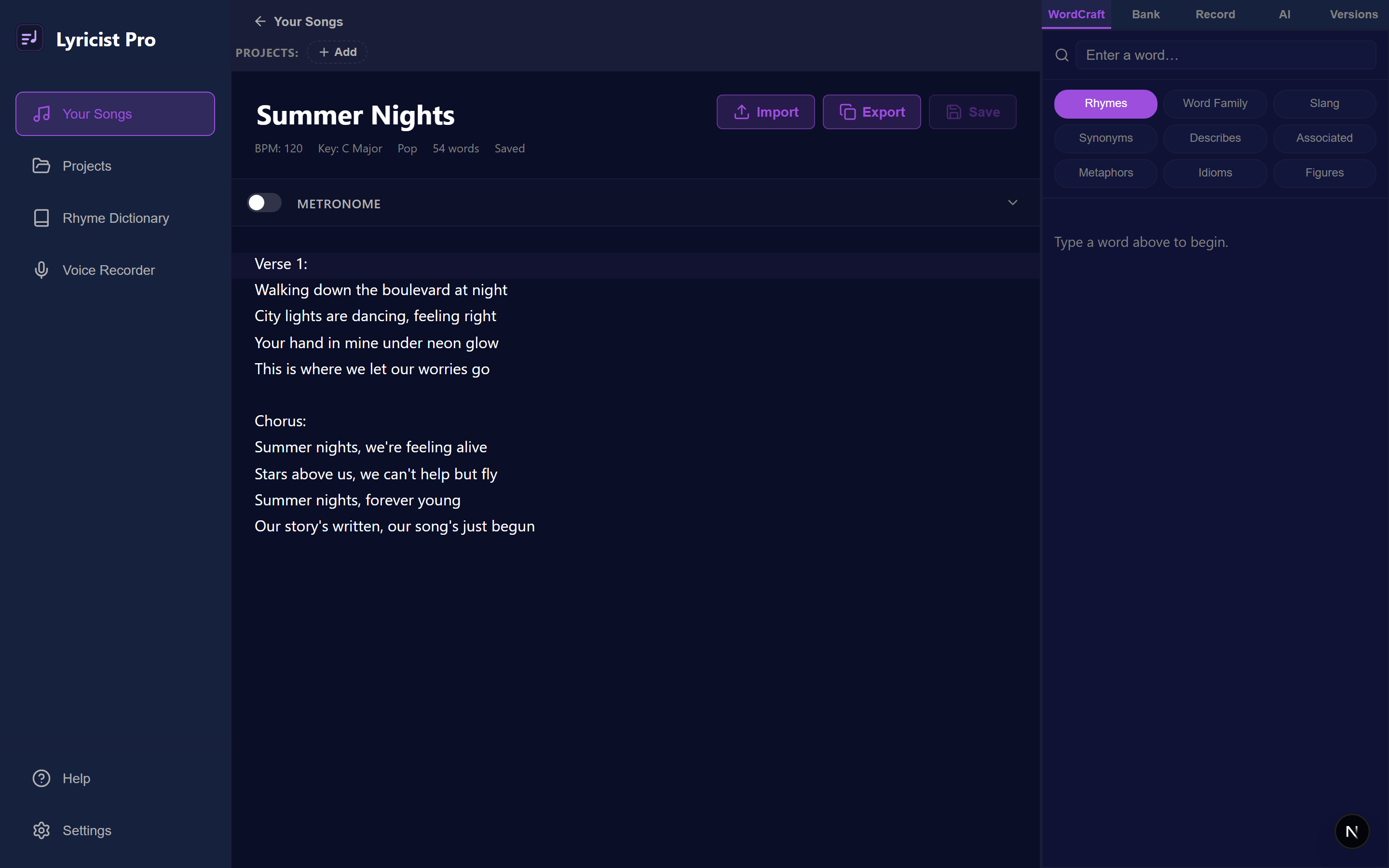
A sidebar for your catalog, a distraction-free lyrics editor in the center, and a right panel that switches between WordCraft, Word Bank, the recorder, AI Assist, and Versions.
Every platform
Run Lyricist Pro in any modern browser, as a native desktop app (Windows, macOS, Linux), or on iOS and Android. Your work syncs across all of them.
Writing & the Editor
A focused lyrics editor that stays out of your way and autosaves as you write.
Create a song
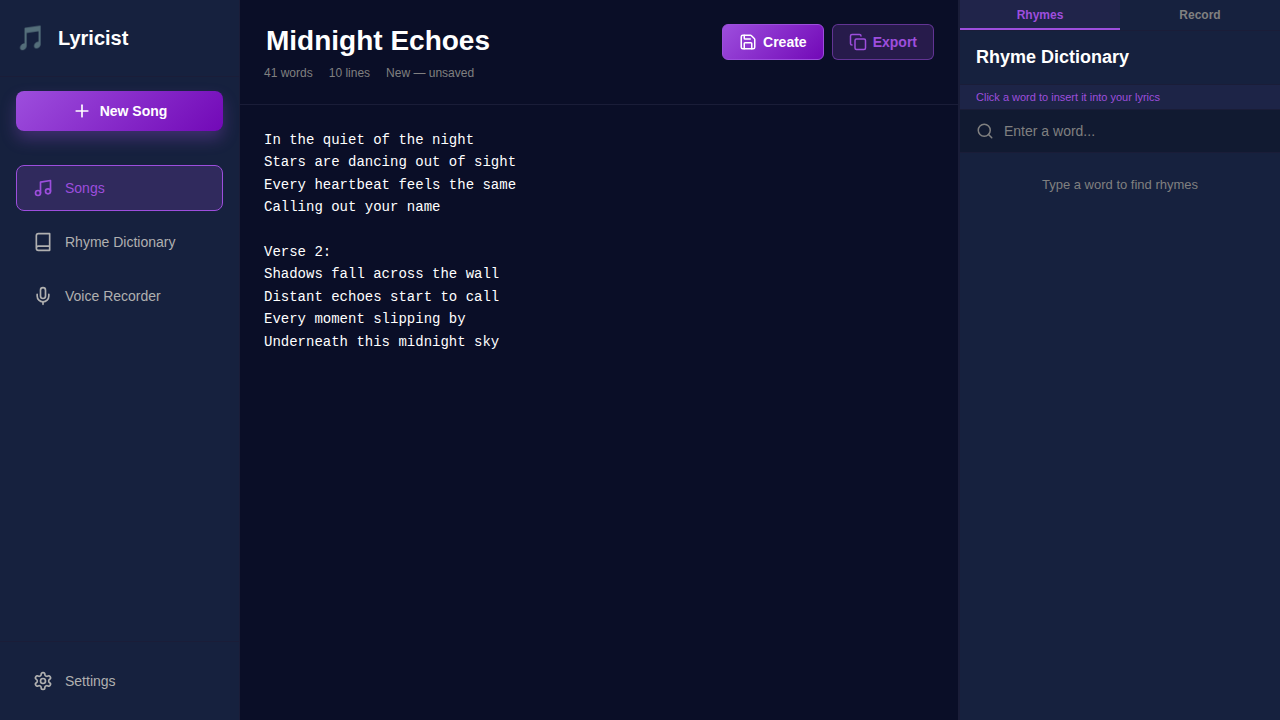
Click New Song to open a blank canvas, give it a title, and start typing. Drafts autosave continuously as you write.
Song details
Store a title, description, BPM, musical key, genre, tags, and an optional chord progression. Tag songs to filter your catalog.
Writing overlays
Optional inline highlights for sections, rhyme groups, and syllable stress help you see structure and meter at a glance.
Import & export
Bring in lyrics as plain text, or export a song as a portable .lpro bundle — lyrics, metadata, and embedded recordings — to back up or move between devices.
Projects
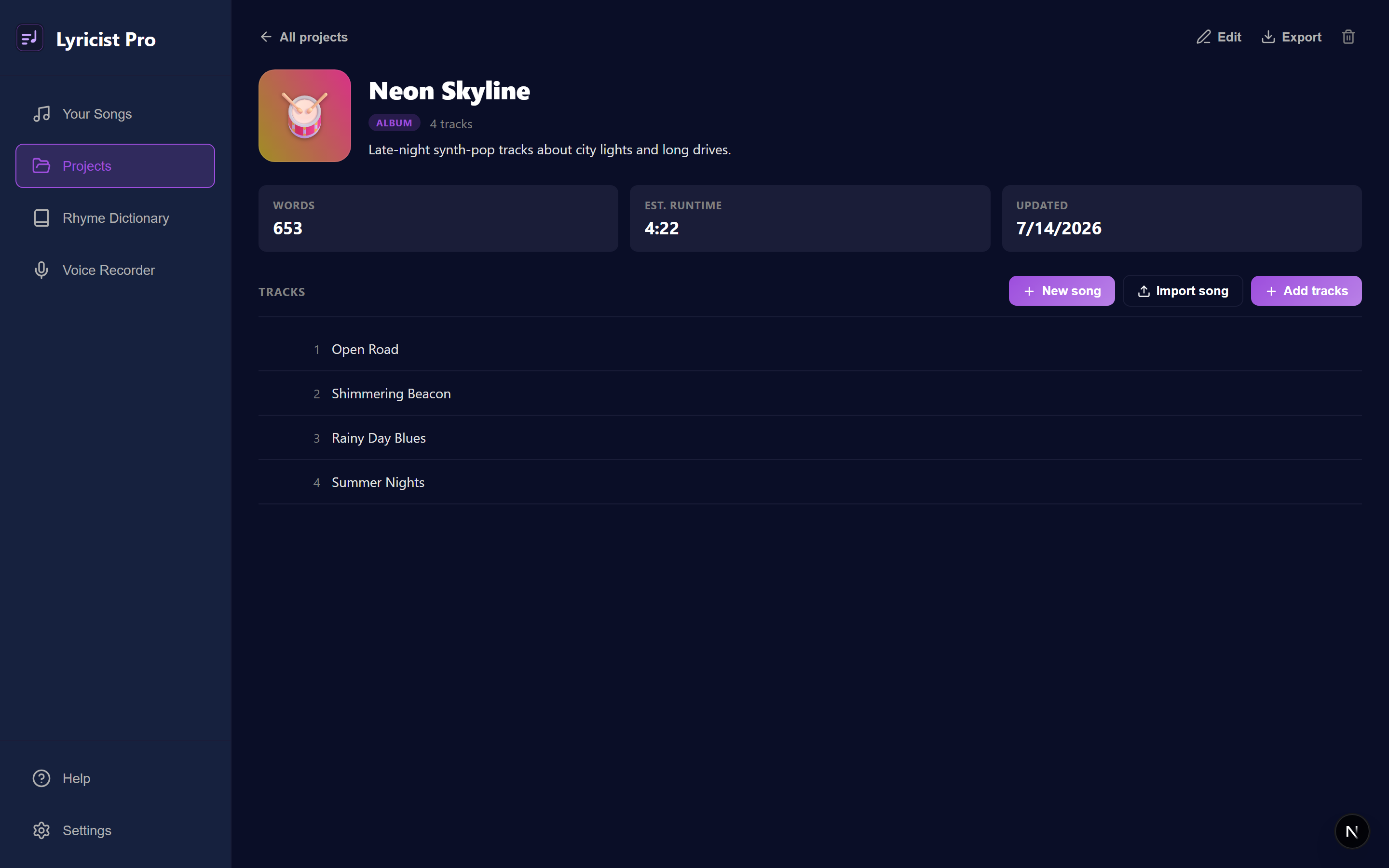
Group your songs into ordered, typed collections — an album for musicians, a book for writers.
Six types
Album, EP, Mixtape, Book, Setlist, or Project — the type only changes the words used for its items (tracks, chapters, songs), so you organize the same way either way.
Auto-generated covers
Every project gets a unique gradient-and-glyph cover automatically, or pick one of the curated presets yourself.
Reorder & pin
Drag to reorder the tracklist, and pin a specific saved version of a song so the release stays locked to that take even as you keep revising the draft.
Export & import
Export a project — details, cover, and every song — as a re-importable .lproj bundle, or a plain Markdown manuscript to share or print.
Free for everyone
Unlimited projects and songs per project, on every plan.
WordCraft & Word Bank
One search, nine ways to find the perfect word — then bank the keepers for later.
Nine tools
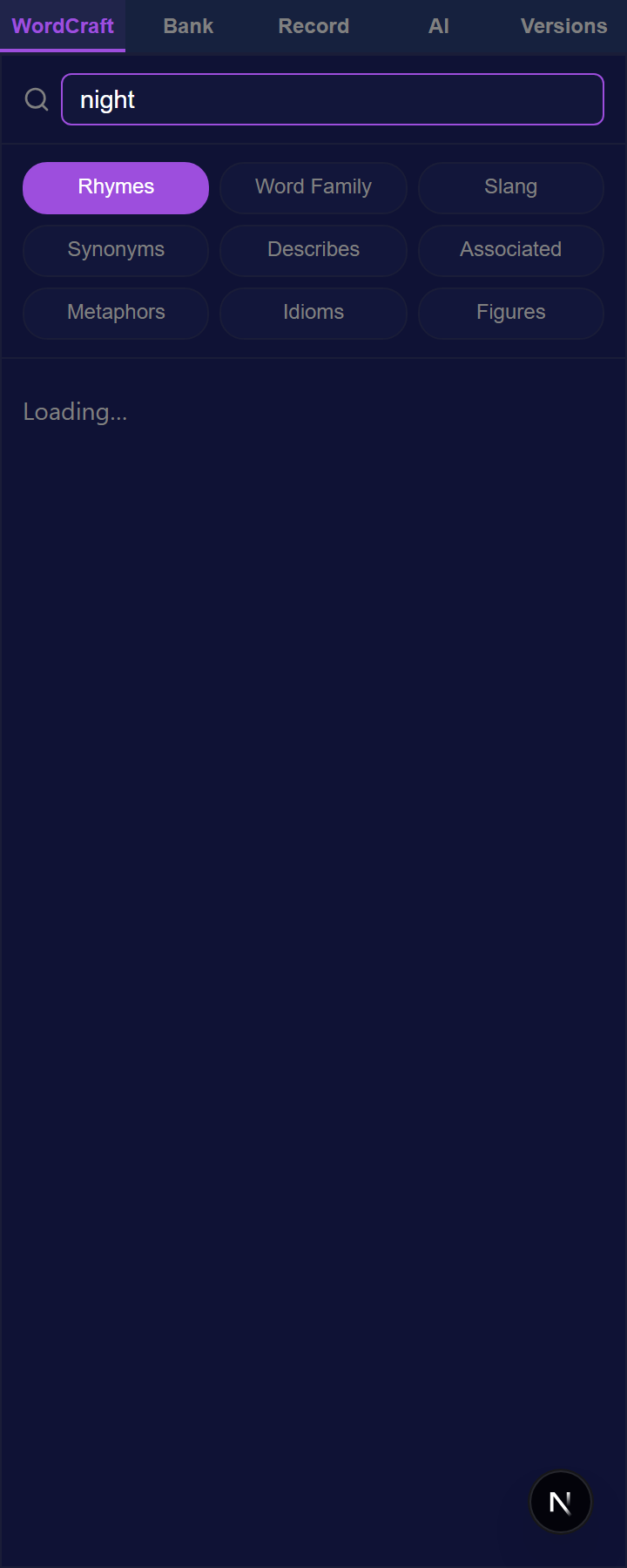
Rhymes, Word Family, and Slang for sound; Synonyms, Describes, and Associated for meaning; Metaphors, Idioms, and Figures for imagery.
Instant rhymes
The built-in Rhyme Dictionary works from how words sound — drawing on a 134,000-word pronunciation dictionary, with an online word service for slang and proper nouns — and groups results by rhyme quality with syllable counts.
Insert anywhere
Tap any result to drop it straight in at your cursor.
Word Bank
Save standout words and phrases to a personal collection you can reuse across songs. (Metaphors are a Pro tool.)
AI Assist
An AI songwriting partner that lives beside the editor — every feature opt-in, nothing runs without you.
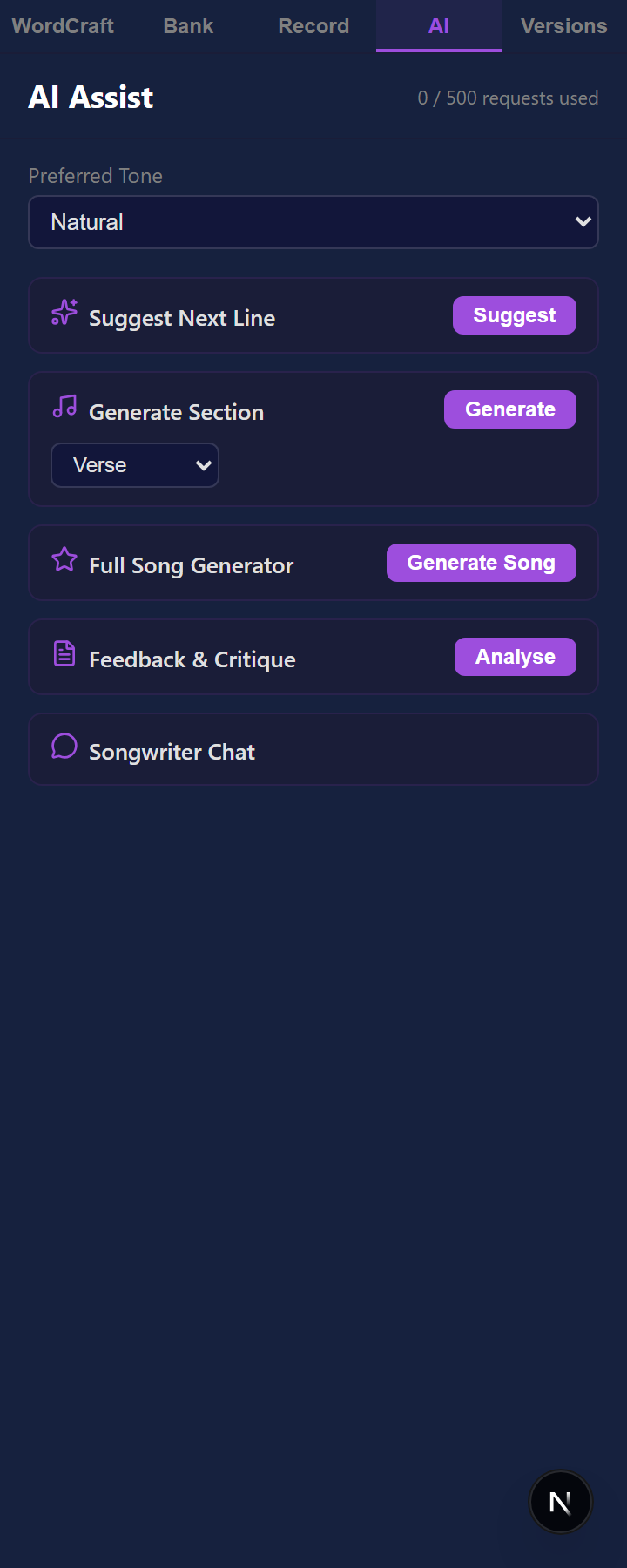
Generate
Write a full song from a genre, mood, and topic, or generate individual verses, choruses, and bridges in the context of what you have already written.
Inline suggestions
Optional ghost-text completions appear as you type; press Tab to accept, Esc to dismiss — or just keep writing.
Refine
Rewrite any selection in a different tone, find AI rhymes beyond the dictionary, or translate and adapt a lyric into another language while keeping the flow.
Critique & chat
Get a structured read on hook strength, meter, imagery, and emotional arc, or ask the songwriter chat anything.
Plans & quota
AI Assist is available on Pro — 500 requests per month. Your remaining quota shows at the top of the panel.
Recording & Dictation
Capture melodies and dictate lyrics — with transcription that runs entirely on your device.
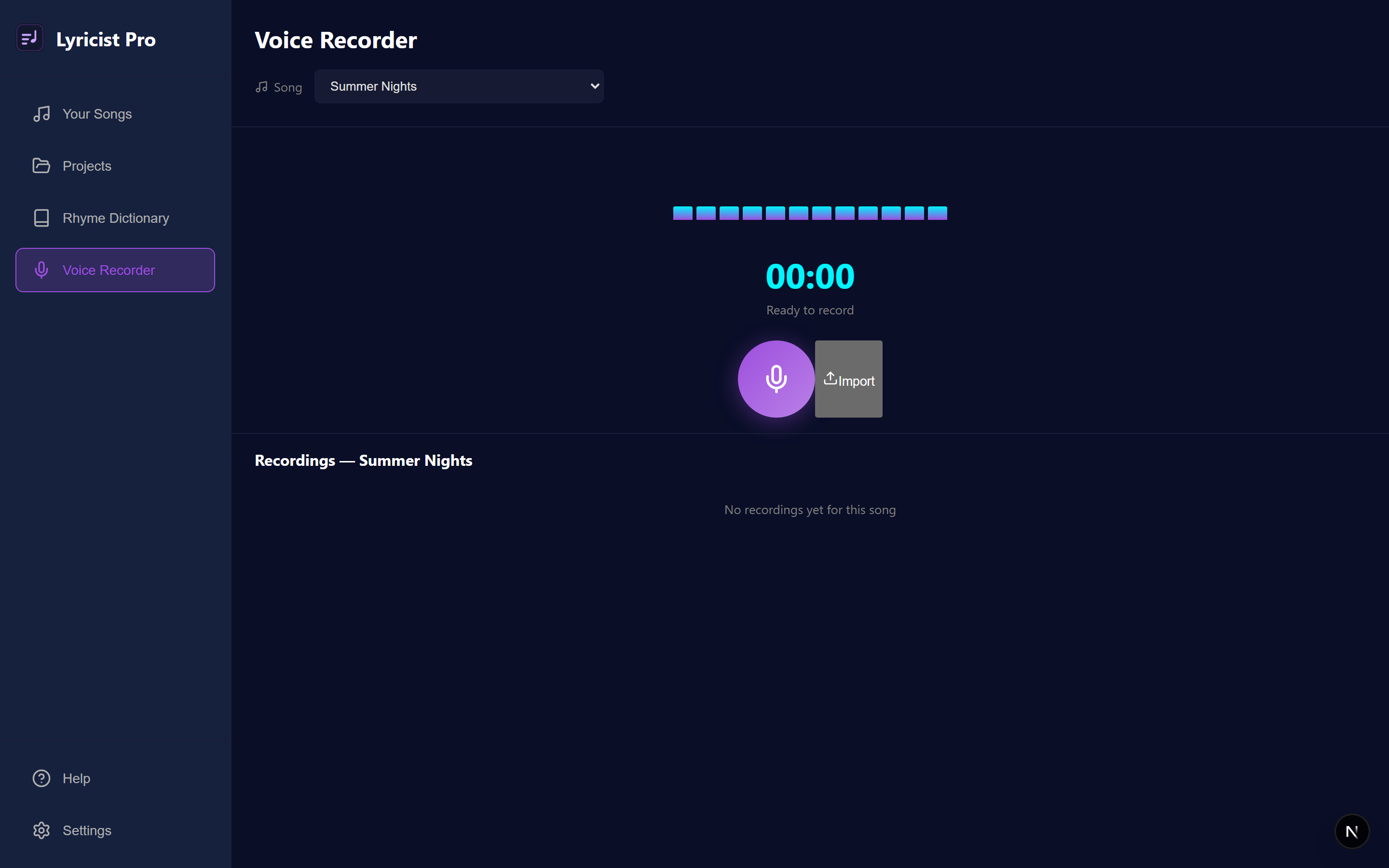
On-device transcription
Speech becomes text locally, so your audio is never uploaded. Works on web, desktop, and mobile.
Dictate into the editor (desktop & mobile)
On desktop and mobile, dictate hands-free and have transcribed lines land straight at your cursor as you speak. On the web, capture takes in the voice recorder, then copy the transcript to your clipboard or save it straight to your Word Bank.
Voice commands
Speak punctuation and structure — “new line”, “period”, “comma”, “scratch that”, and more — while you dictate.
Your setup
Pick any microphone, import existing audio (WAV, MP3, M4A, FLAC, OGG), and choose a model size to trade speed for accuracy.
Metronome
Keep time while you write, with a metronome tuned per song.
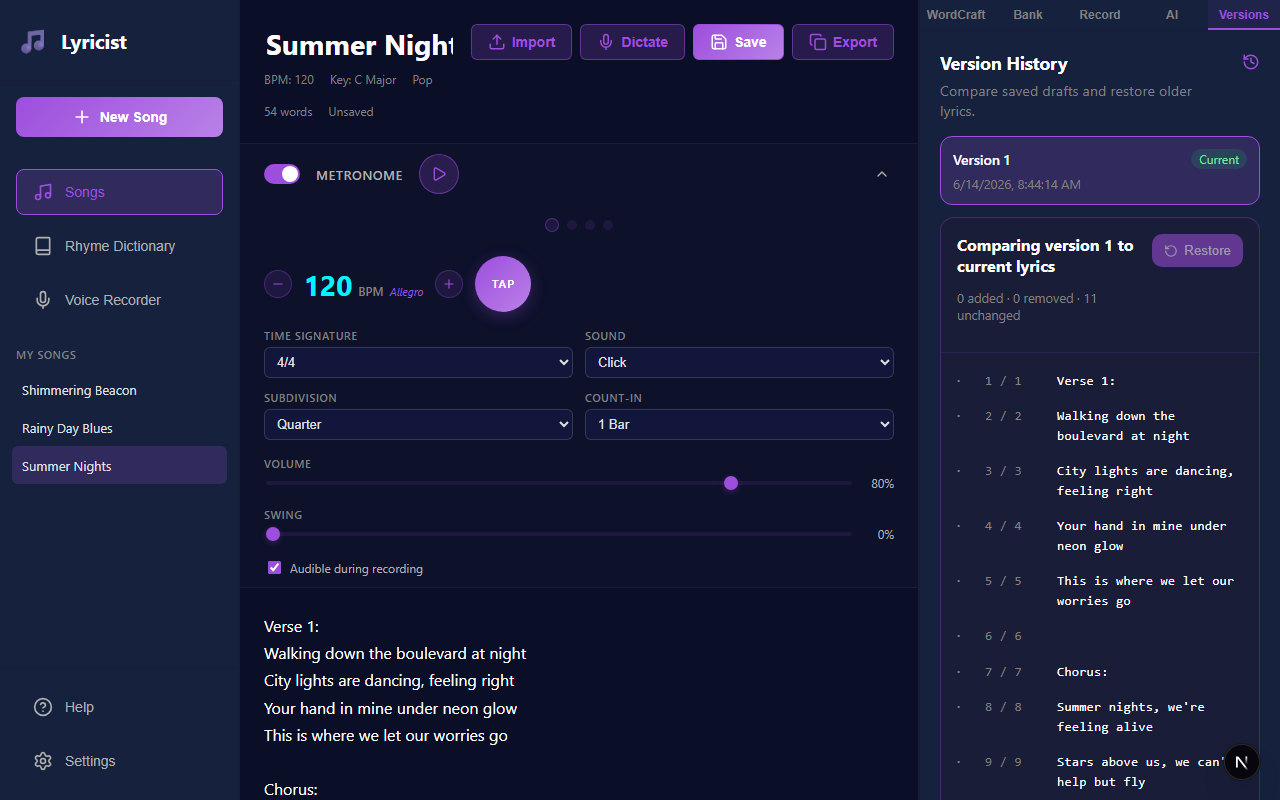
Tempo & feel
Set the BPM or tap it in, choose a time signature and subdivision, and add swing.
Sounds & count-in
Pick a click sound, accent the downbeat, and add a count-in before recording.
Visual & haptic
Follow a visual beat indicator, with haptic feedback on supported devices.
Per song
Tempo and feel are saved with each song, so every track keeps its own groove.
Version History
Every save is a snapshot — compare and roll back without ever losing your current lyrics.
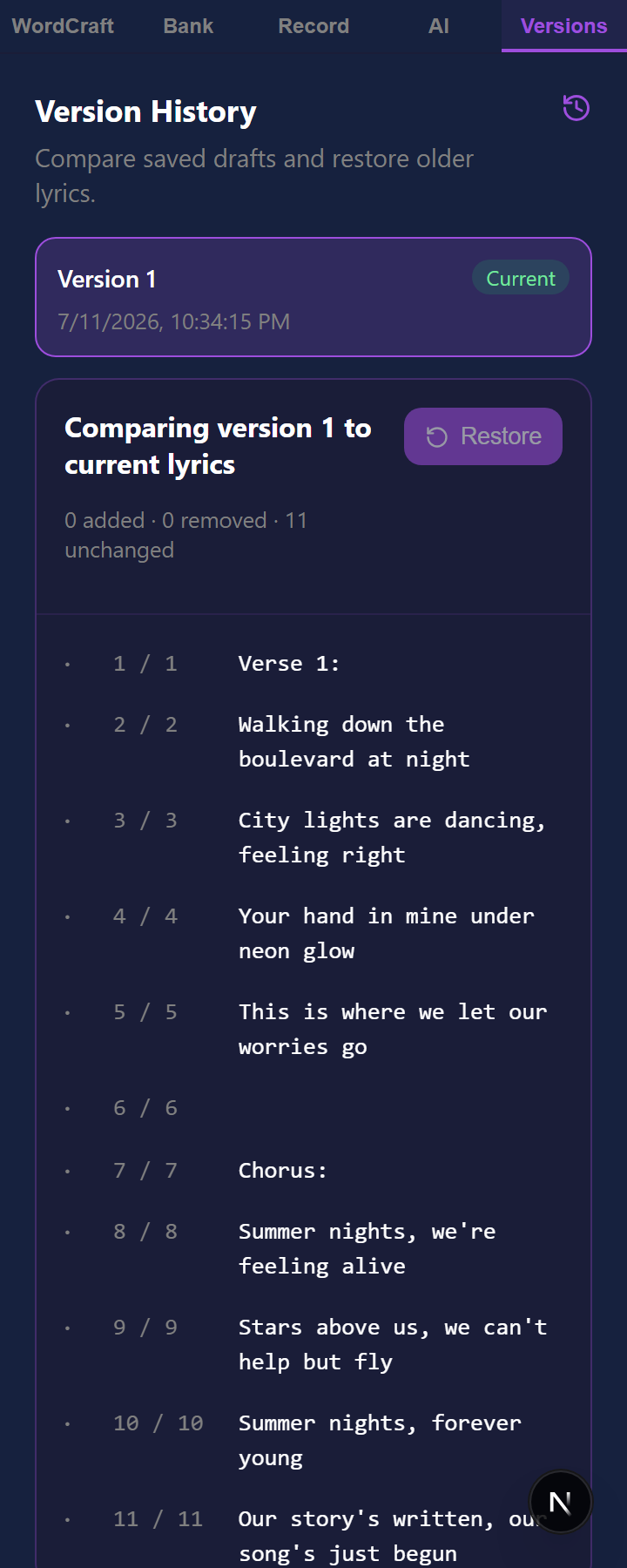
Automatic snapshots
Saving lyric changes stores a numbered version; nothing is overwritten.
Compare
Review a line-by-line diff between any saved draft and your current lyrics.
Restore safely
Bring back an earlier draft as the newest version — your current work is always preserved.
Prove when it was written
Timestamp any saved version and get a certificate — signed by an independent authority under the open RFC 3161 standard — proving those lyrics existed on that date.
Verify without an account
Anyone can check a certificate at /verify, no Lyricist Pro account needed. Free accounts get a small number of timestamps each month; paid subscription plans are unlimited.
Writing Goals
Set targets and build a habit, with progress that keeps you moving.
Word & session goals
Set a target word count or session goal and watch a live progress widget fill as you write.
Streaks
Track consecutive writing days to keep your momentum going.
Stay motivated
Gentle milestones celebrate progress without nagging.
Skins & Appearance
Make the workspace yours — ten built-in skins, or craft your own.
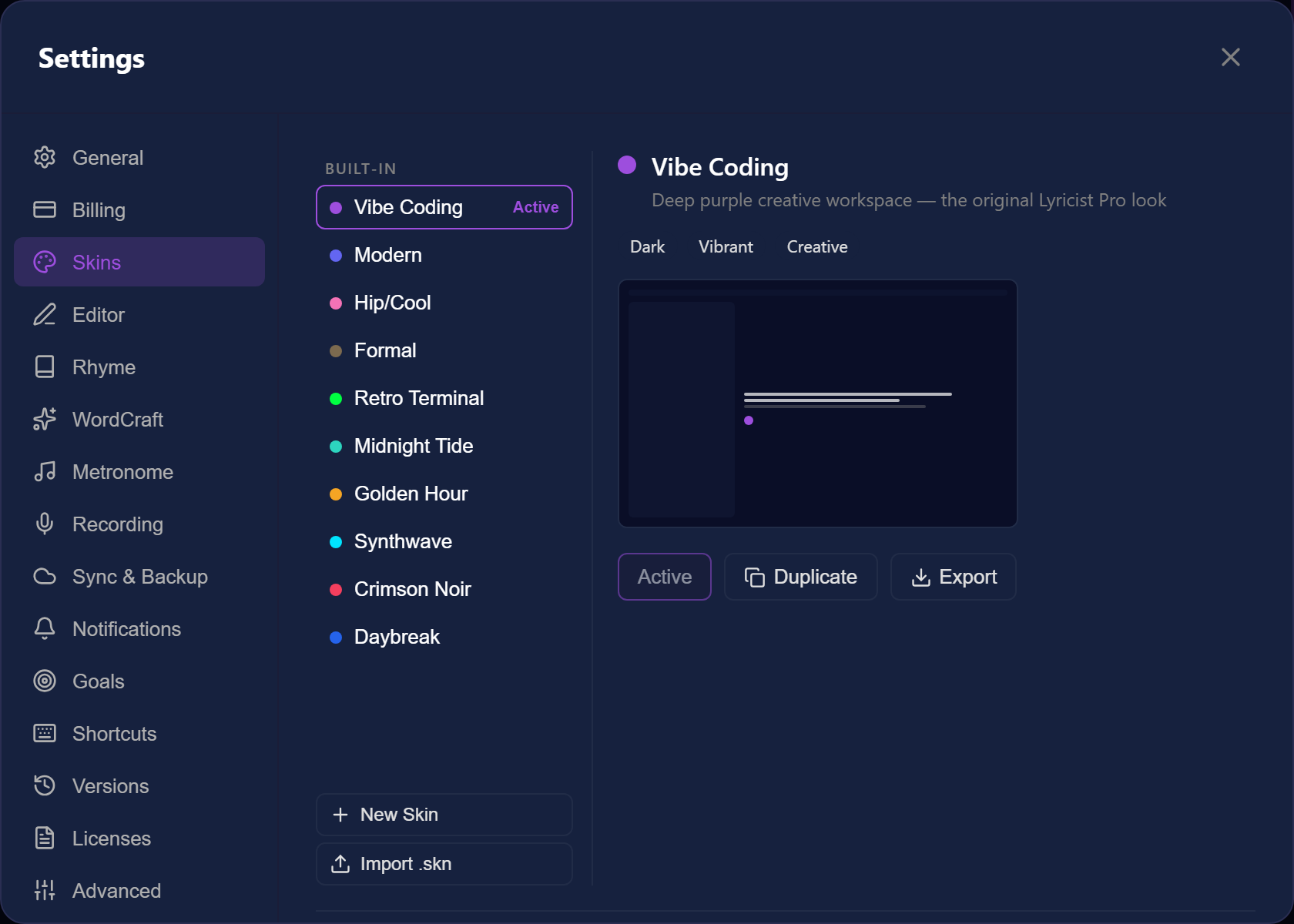
Built-in skins
Vibe Coding, Modern, Hip/Cool, Formal, Retro Terminal, Midnight Tide, Golden Hour, Synthwave, Crimson Noir, and Daybreak, applied instantly.
Customize everything
Theme and accent color, background style, typography, layout density and corners, motion, and scrollbars.
Share skins
Duplicate a skin as a starting point, then export or import skins as .skn files.
Sync, Backup & Export
Offline-first by design, with cloud backup and portable exports.
Cross-device sync
Write offline; your catalog syncs across web, desktop, and mobile when you reconnect.
Automatic backup
Connect a provider — Google Drive, iCloud Drive, Microsoft OneDrive, Dropbox, or local — and back up on a schedule, with every sync versioned.
Export & import
Export songs as .lpro bundles or plain text, and import songs or settings to move between accounts and devices.
Privacy
Your lyrics and your voice stay yours.
On-device by default
Transcription runs locally; audio never leaves your device.
You control the cloud
Backup and AI are opt-in, and you choose the provider.
Delete anytime
Remove songs, recordings, or your entire account and its data whenever you want.
Notifications
Stay informed on your terms.
Choose what reaches you
Toggle reminders, goal nudges, and product updates.
Quiet by default
Notifications are opt-in and easy to silence.
Accessibility
Built to WCAG 2.2 AA on web, desktop, and mobile — and honest about where we are not there yet.
Keyboard, everywhere
Every action you can reach with a mouse you can reach with a keyboard, including the right-click word menu (Shift + F10). Dialogs trap focus, close on Escape, and hand focus back to whatever opened them. There are no application-wide accelerators — Settings → Shortcuts lists every key that does work.
Screen readers
Every control announces what it is and what it does, text fields keep their name once you type in them, and list rows read in a sensible order rather than as disconnected fragments. Saving, errors, and progress are announced. Tested with NVDA on Windows and TalkBack on Android.
Contrast that follows your colours
Pick any accent or skin and readable text and border colours are derived against the background you actually chose. Automated WCAG 2.2 AA scans run against the rendered app on every code change, so a contrast regression cannot ship.
Motion and text size
Set Motion Preference to Reduced or None, and Lyricist Pro also honours your operating system's own reduce-motion switch on every platform. Editor and interface text scale independently, and the app stays usable at 200% zoom.
What we have not tested
iOS with VoiceOver. The app is English only, has no dedicated high-contrast mode, and we have not commissioned a VPAT. Hit a barrier? Send it through Help & Feedback in the app — we treat it as a bug.
Account & Billing
Manage your profile, plan, and subscription.
Your profile
Update your display name, email, and password from Settings → Account.
Plans
Free and Pro — compare them on the Pricing page.
Trial & subscription
Every account starts with a 14-day Pro trial. Upgrade, downgrade, or cancel anytime; upgrades are prorated.
Troubleshooting
Quick fixes for the most common snags.
AI is greyed out
AI Assist needs a Pro plan — check Settings → AI Assist and your remaining quota.
Dictation isn’t transcribing
Download a transcription model in Settings → Recording and confirm microphone access.
Changes aren’t syncing
Sync resumes when you reconnect; you can also trigger a manual backup from Settings.
Still stuck
Open Help & Feedback in the app to search the full guides or send us a message.