AI songwriting partner
Generate full songs, sections, and next lines. Inline suggestions, tone-aware rewrites, and a songwriter chat that already knows your lyrics.
AI-powered songwriting for professionals
Lyricist Pro brings AI generation, the nine-tool WordCraft panel, and local-first voice recording into one focused workspace. Transcription runs entirely on-device — your ideas stay private. Write a full song from a prompt, or let inline suggestions keep you flowing.
Generate full songs, sections, and next lines. Inline suggestions, tone-aware rewrites, and a songwriter chat that already knows your lyrics.
Rhymes, slang, synonyms, metaphors, idioms and more in one panel. Keep the good ones in your personal Word Bank.
Capture takes and dictate lyrics with local whisper.cpp. Audio never leaves your device — no cloud upload, no API key.
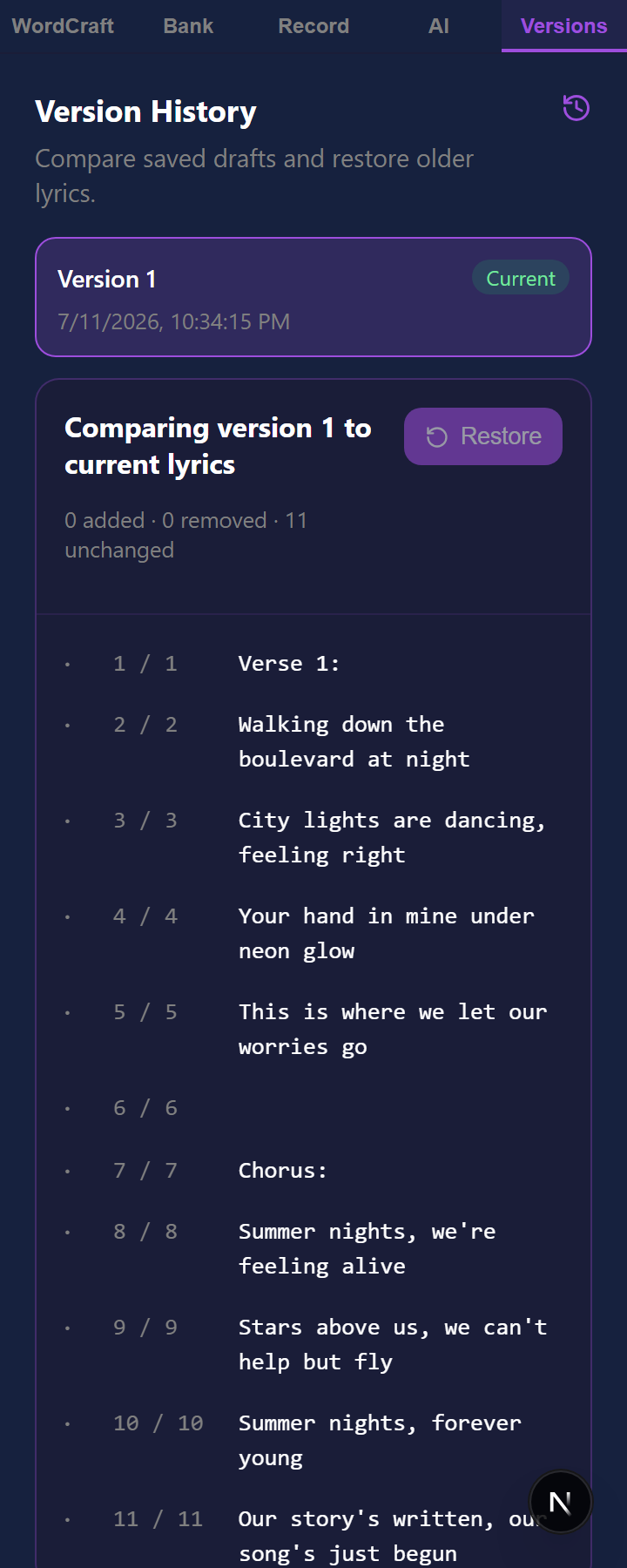
Every draft auto-saved with a line-by-line diff and one-tap restore. Your catalog syncs across web, desktop, and mobile.
Group songs into albums, books, mixtapes, or setlists — with auto-generated covers and running stats.
Full keyboard paths, screen-reader labels on every control, and contrast checked automatically on every change — on all three platforms.
AI Assist
The AI Assist panel lives alongside your lyrics, so you can generate, refine, and critique without breaking flow. Inline suggestions appear as you type; accept with a keystroke or keep going. Every feature is opt-in and never surprises you with unexpected API charges.
Available on Pro — 500 requests/month. See pricing →
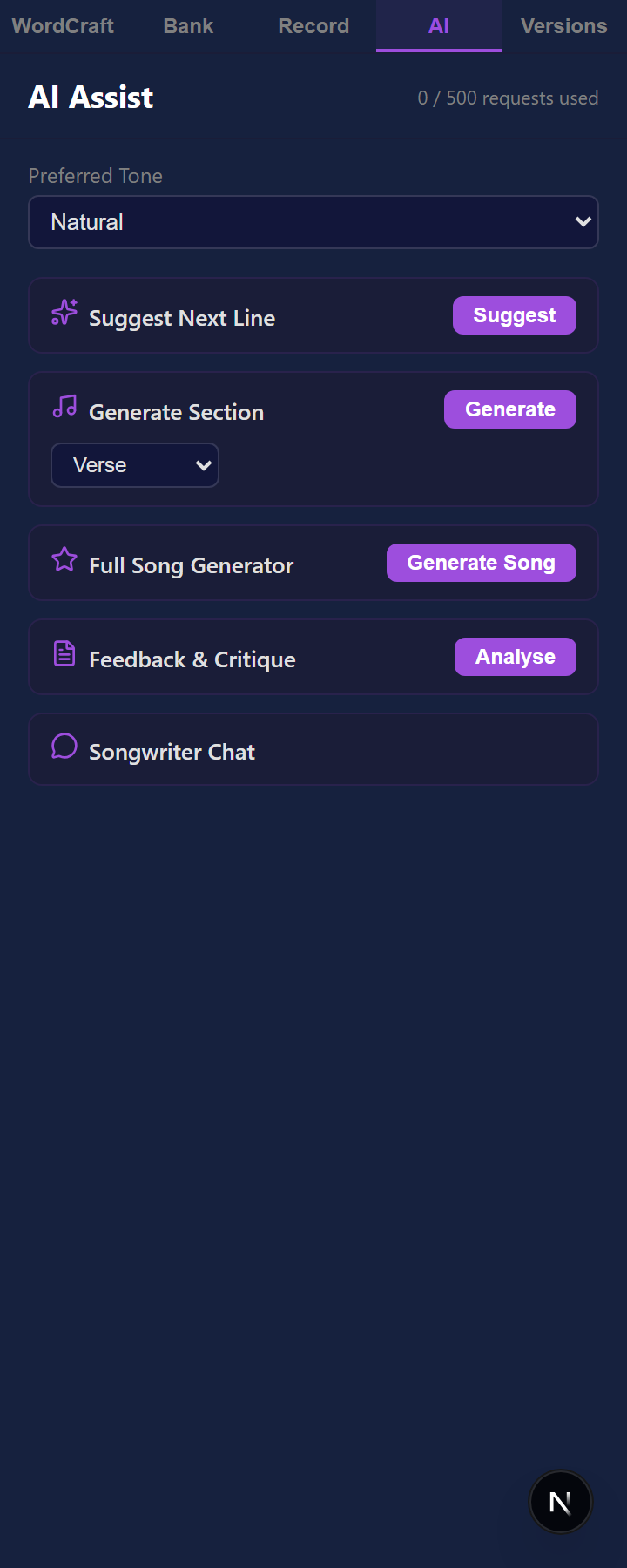
Ghost-text completions appear as you type. Press Tab to accept, Esc to dismiss — or just keep writing.
Describe a genre, mood, and theme; get a complete song with verses, chorus, and bridge in seconds.
Generate individual verses, choruses, or bridges on demand, with context from what you have already written.
Discover rhymes a dictionary would miss — idioms, slang, and phonetic near-matches suggested by the model.
Select any line and ask for a rewrite — darker, more poetic, more direct, or in a different dialect.
Ask anything: rhyme schemes, structure, metaphor ideas, how a line scans. Persistent chat keeps the context.
Get a structured read on hook strength, meter, imagery, emotional arc, and concrete revision ideas.
Translate lyrics or culturally adapt them so the rhymes and idioms still feel native.
WordCraft
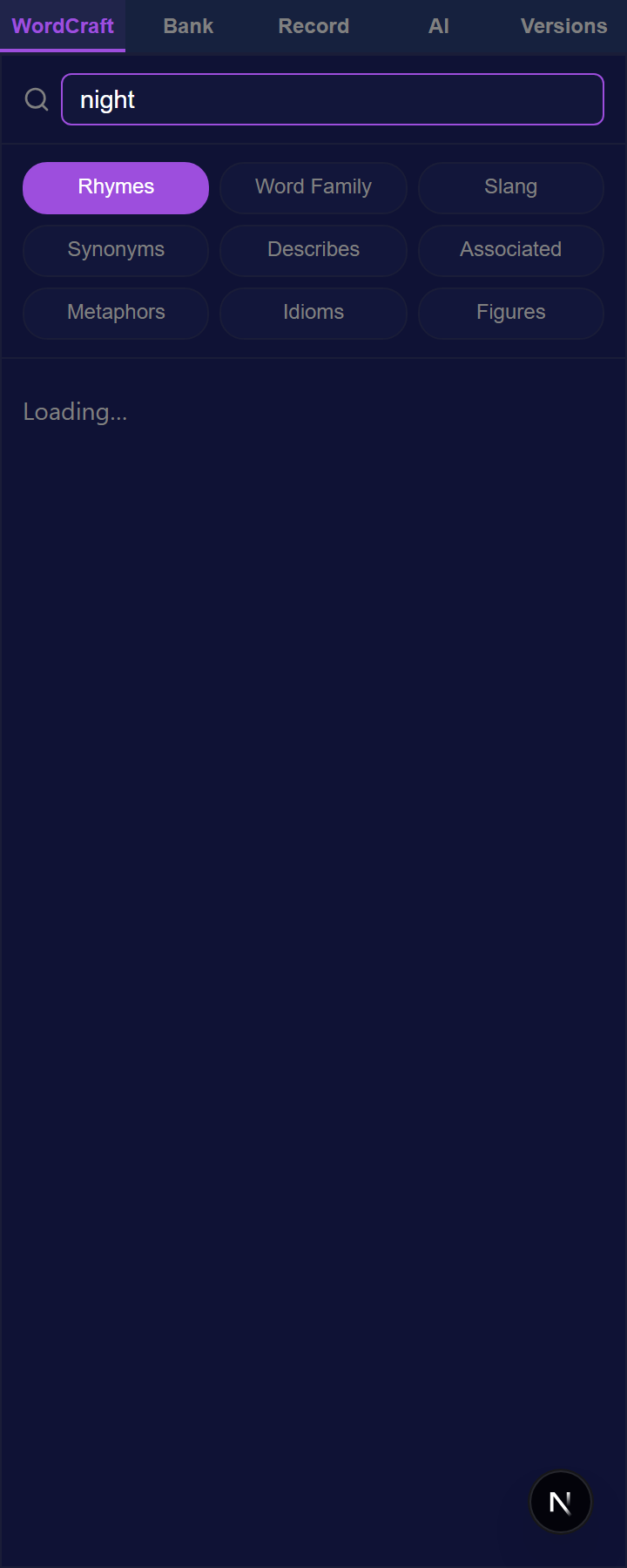
Start with one word and surface every option — rhymes, slang, synonyms, metaphors, and imagery. Insert any result right at your cursor, or save the best to your Word Bank to reuse later.
Words
Perfect, near, and slant — CMU dictionary plus Datamuse.
Roots, derivatives, and conjugations of any word.
34,000+ contemporary phrases, with a register filter.
Meanings
Semantic alternatives to swap in at the cursor.
Adjectives that commonly pair with your noun.
Words that statistically travel with your term.
Imagery
AI-generated metaphors and similes.
A bundled library of idiomatic expressions.
Literary devices with definitions and examples.
Rhyme Dictionary
Powered by a 134,000-word pronunciation dictionary, the Rhyme Dictionary hears words instead of just reading their spelling — perfect, near, and assonance rhymes with inline definitions. Flip to Multi-syllable mode to rhyme on the last two, three, or four syllables: the rap-grade matches a spelling dictionary can't find.
The demo below is real engine output, baked in at build time — no AI, no network calls.
Projects
Group songs into an ordered, typed collection — an album for musicians, a book for writers, a setlist for the next show. Every project gets auto-generated cover art, a drag-to-reorder tracklist, and running stats. Pin a specific version of a song to a project so the released cut stays locked in place even as you keep revising the draft.
Projects are free on every plan — organize your whole catalog without upgrading.
Neon Skyline
Album
Late-night synth-pop tracks about city lights and long drives.
Tracks
Recording & dictation
Capture melodies and voice memos, then dictate lyrics straight into the editor. Speech is turned into text right on your device — your audio is never uploaded. Speak punctuation and structure — “new line”, “period” — pick any microphone, or import existing audio to transcribe.
Skins
Start from Vibe Coding, Synthwave, Midnight Tide, Golden Hour, Daybreak, or one of five more, then tune everything: colors, fonts, density, corners, shadows, and motion. Save your look as a named skin and export it as a .skn file to share or sync. All ten are below — click a swatch to see the whole workspace re-skinned.
Want proof? Flip the screenshots on this page between dark and light with the skin toggle — that's two of the built-in skins.
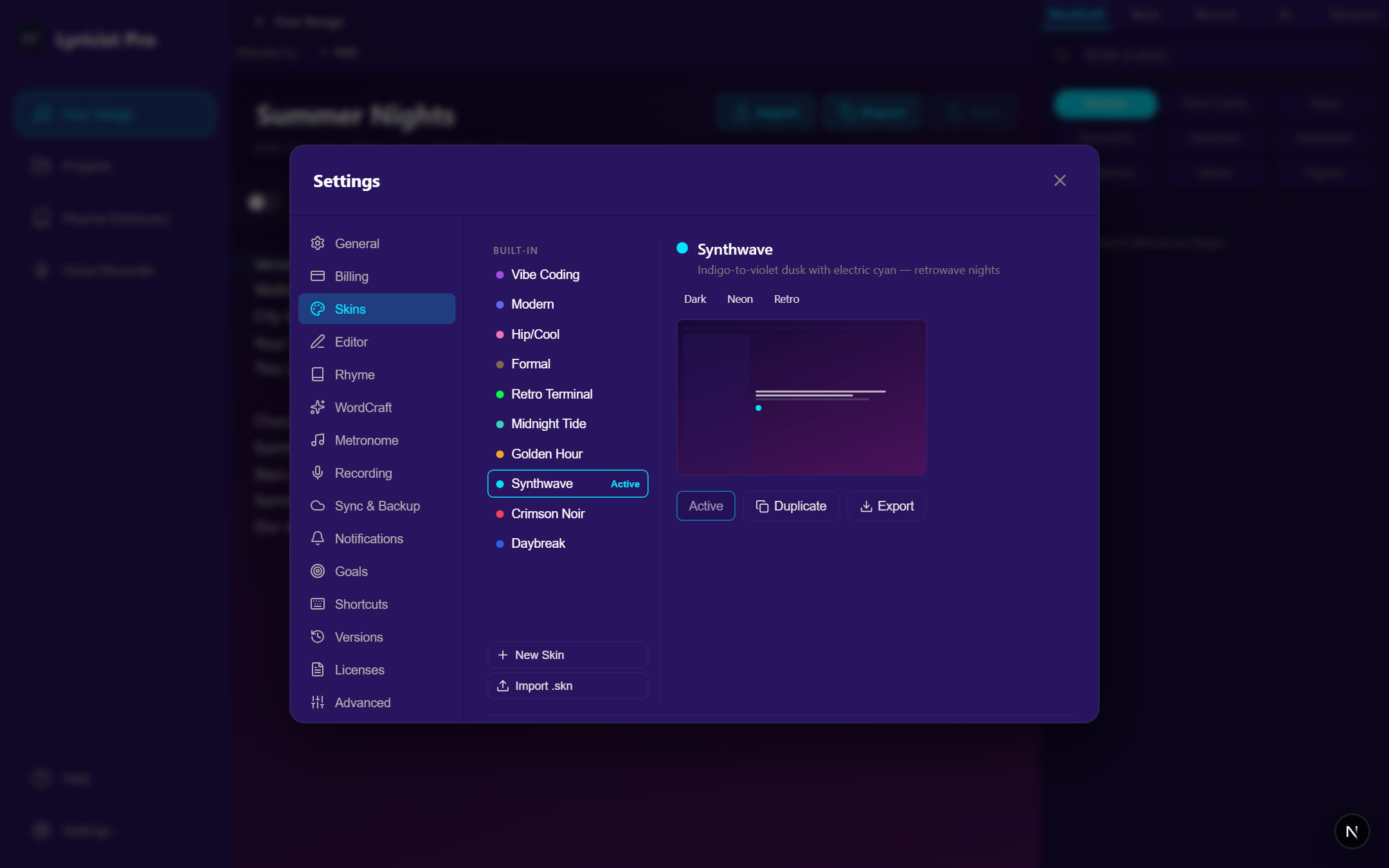
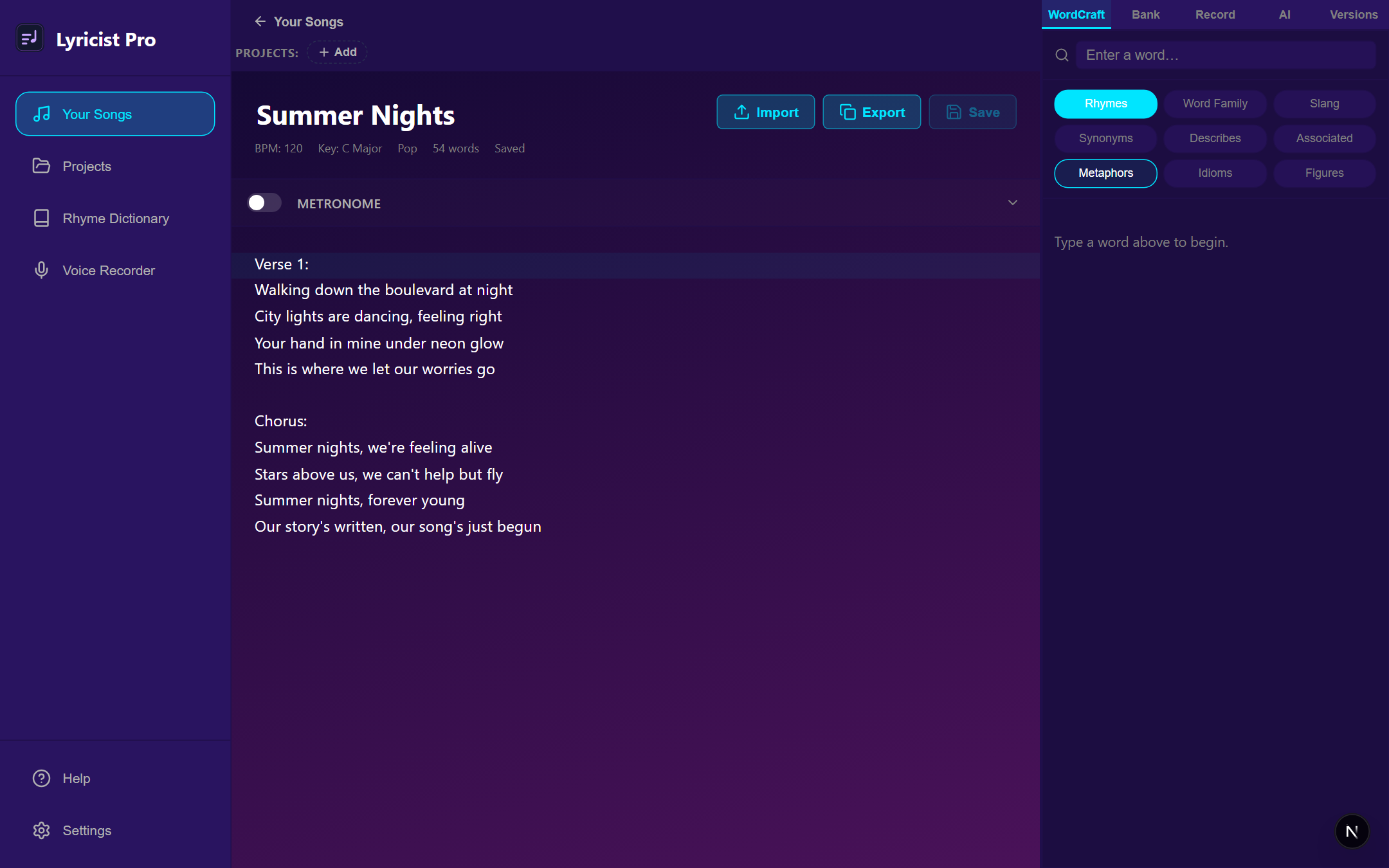
Synthwave — Indigo-to-violet dusk with electric cyan — retrowave nights
Version history & sync
Drafts are snapshotted automatically, with a line-by-line diff and one-tap restore that never destroys your current lyrics. Everything is offline-first and syncs across web, desktop, and mobile, with optional multi-provider cloud backup.
Authorship timestamps
Timestamp any saved version and Lyricist Pro fingerprints your lyrics, title, and song details, then has an independent timestamping authority sign that fingerprint under the open RFC 3161 standard. Only the fingerprint leaves your account — your lyrics never do.
The certificate that comes back stands on its own: anyone can verify it — a collaborator, a lawyer, a label — with no Lyricist Pro account, and it keeps working even if this company someday shuts down.
This proves when your work existed, not copyright registration — that still requires filing with the U.S. Copyright Office. Free accounts get a small number of certificates each month; paid subscription plans are unlimited. How it works →
Accessibility
Lyricist Pro is built to WCAG 2.2 Level AA on web, desktop, and mobile. Every action you can reach with a mouse you can reach with a keyboard. Every control tells a screen reader what it is and what it does. Pick any accent colour or skin and readable text and border colours are worked out against the background you actually chose — then checked by automated WCAG scans that run on every change, so a contrast regression can't ship.
Motion follows your operating system's reduce-motion setting as well as the in-app control, and on mobile the biometric lock hides your lyrics from assistive technology, not just from the screen.
We haven't tested iOS with VoiceOver yet, the app is English only, and there's no dedicated high-contrast mode. The full picture, including the gaps →
We design Lyricist Pro so your tools stay out of the way while your ideas stay in motion.
Choose monthly or yearly access and unlock the full writing stack.
View subscription options